
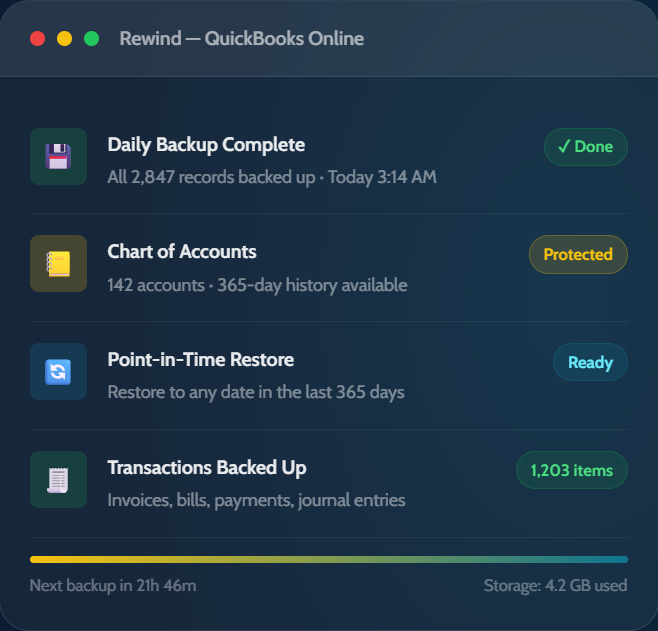
Rewind automatically backs up your complete QBO file every day — every transaction, customer, vendor, and account. Restore your entire file, or a single deleted invoice, in under 30 seconds.
The QBO Data Gap
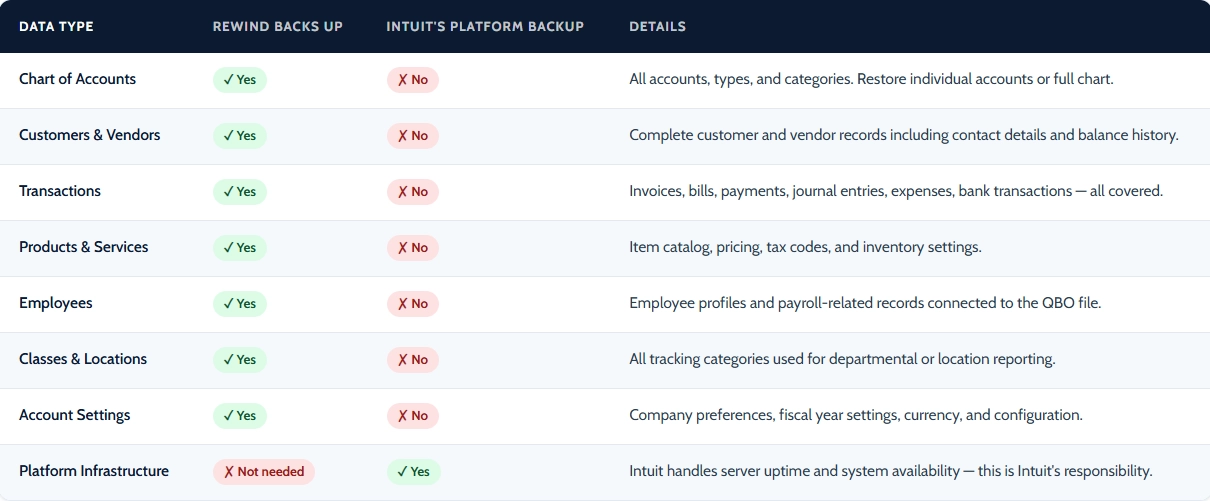
Intuit backs up QuickBooks Online to multiple servers — but only to protect against infrastructure failure. If you delete a transaction, import corrupted data, or a third-party integration overwrites your Chart of Accounts, there is no native restore. You start over from scratch.
Platform uptime, server infrastructure, system-wide disaster recovery. Intuit protects the app so it stays online — not your individual account data.
Accidental deletions, bulk import errors, app integration overwrites, wrong reconciliations, employee mistakes, and ransomware. This is all on you — unless you have Rewind.
Every transaction, account, customer, vendor, employee, and financial record in your QBO file — backed up daily, restorable to any point in the last 365 days.
“You are responsible for any lost or unrecoverable Content. You must provide all required and appropriate warnings, information and disclosures. Intuit is not responsible for any of your Content that you submit through the Offering.”
— Intuit Terms of Service
What Intuit will reimburse you if your QuickBooks data is lost or corrupted due to user error, app overwrites, or ransomware.
Peace of Mind for Your Books
Rewind runs automatically every night so your complete QBO file is always protected — and always recoverable. No manual exports. No remembering. Just peace of mind.
Rewind backs up your entire QBO file automatically every night — no manual exports, no CSV downloads, no remembering. It just runs.
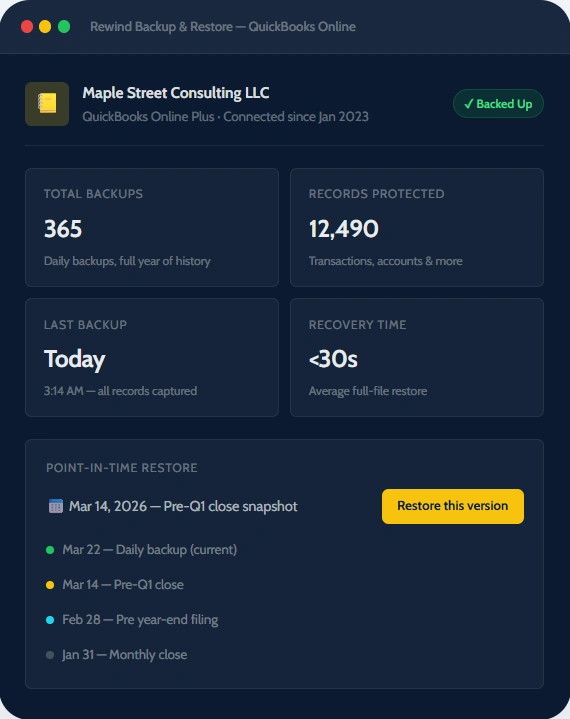
Access any version of your QuickBooks file from the past year. Pre-tax season, pre-reconciliation, pre-audit — any point in time, always available.
Don’t need to restore your entire file? Recover a single deleted customer, one missing invoice, or a specific vendor record — in seconds, without overwriting anything else.
For accounting firms and bookkeepers: manage backup and restore across all your client QBO files from a single dashboard. One view, every client protected.
See Rewind in Action
When something goes wrong — and with QBO, something always eventually does — Rewind has you back on track in seconds. Browse your backup history, compare versions, and restore exactly what you need, without calling Intuit support.
Three Ways Rewind Protects You
Customer proof
Backups are stored outside your QBO account, in a separate secure environment. Even if a breach compromises your Intuit login, your backup history is untouched and fully recoverable.
Customer proof
Firm owner perspective
Complete Coverage
Right Protection for Every Role
Whether you’re protecting your own books or managing dozens of client files, Rewind fits the way you actually work.
Simple, automatic protection for any SMB using QuickBooks Online. Set up in 5 minutes, runs quietly in the background.
A wrong bulk import, an employee mistake, or a bad app integration could wipe months of financial records — with no way to get them back from Intuit.
“I never want to be in a situation where I lose months of financial data. Rewind means I never have to worry about that. It just runs.”
— Small Business Owner, QBO App Store review
When a client corrupts their own books, the firm absorbs the clean-up cost. Without a backup, that means hours of forensic reconstruction — and potential liability if records can't be recovered.
“I recommend Rewind to every single one of my clients. It’s not optional — it’s part of how I protect their financial data and my own practice.”
— Tanya Hilts, Cloud Business Services
By the Numbers
Testimonials
Trusted by bookkeepers, accounting firm owners, and small businesses who can’t afford to lose their financial data.
Security & Compliance
Your financial records are sensitive. Rewind’s enterprise-grade security ensures your backup data is protected with the same rigor you’d expect from your bank.
Certified
Certified
Honest, Flexible Pricing
Pay per QBO file. Add more as your client base grows. Cancel anytime.
QBO Flex Plan
/month per QBO file
Billed monthly · Cancel anytime
7-day free trial — no credit card required
Start protecting your QBO file today. Connect in 5 minutes. Cancel anytime.